Your Capacity Planner™ Shows You Less On Bad Days, More On Good.
- ✓20 tab spreadsheet planner covering daily life.
- ✓Choose how far ahead you look with Capacity Mode. Today, 3 days or more.
- ✓Designed for bad days & good. Shrink it when you're struggling, widen it when you're not.
- ✓Miss a week & there's no pile-up. Your tasks wait. The guilt doesn't.
- ✓Uses Google Sheets. Nothing to install.
- ✓Look inside. Watch the video above!
Every Planner Works For About Nine Days.
Then you have a bad week.
You come back to a screen full of red and a list of everything you didn't do. So you stop opening it. Opening it feels like being told off.
So you go looking for a better one.
It was never the planner. Every one of them assumes today's version of you can do what last week's version could. Some days you can't. Nobody can.
On a bad day it shows you one task. On a good day it shows you the month.
You choose how far ahead you can cope with. Today, three days, this week, this month. It shows you that much and holds the rest back.
Anything urgent stays on the screen. Always.
Nothing is deleted and nothing goes overdue. Same file, same tasks. The only thing that changes is how much of it you have to look at.
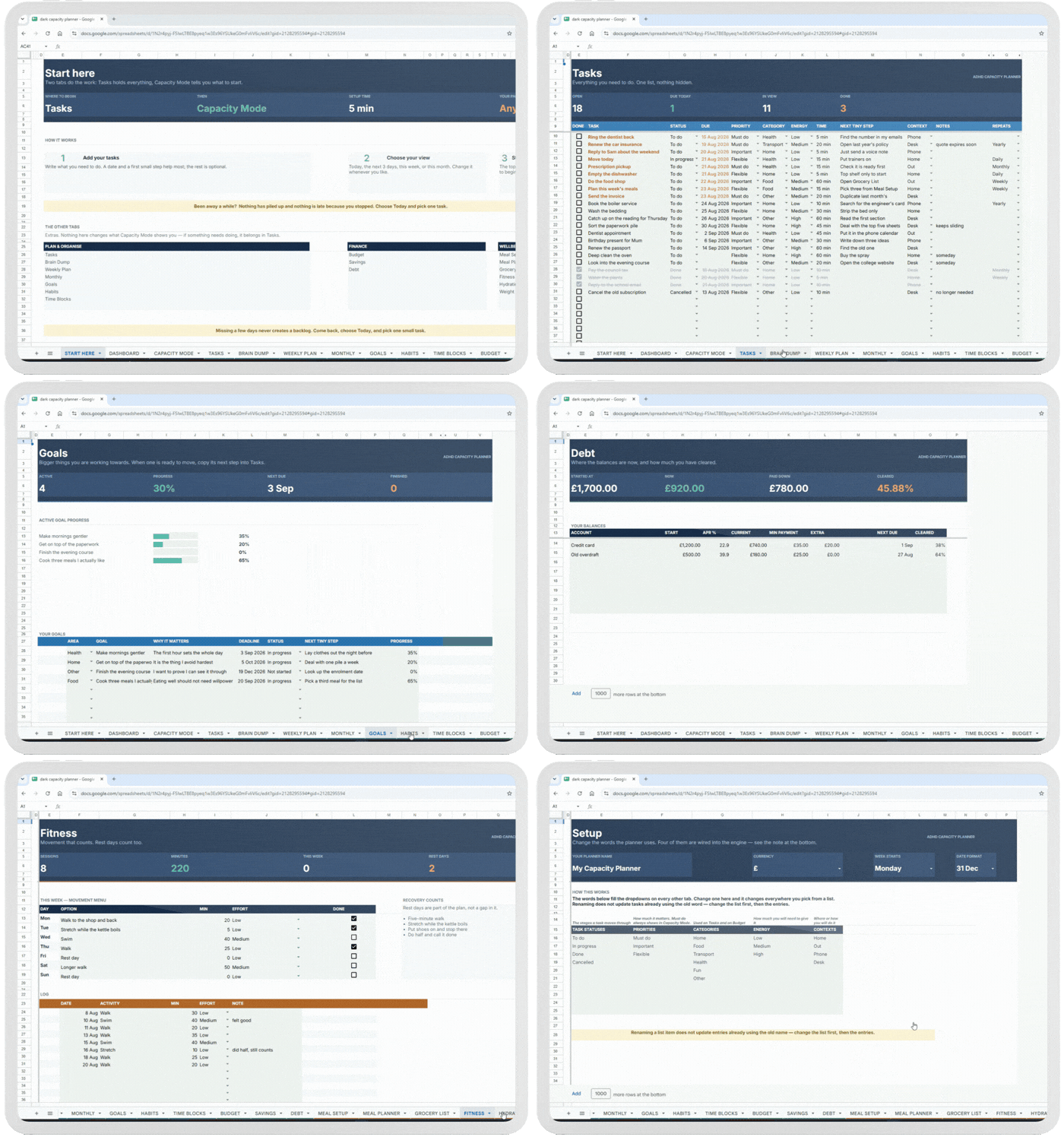
Capacity Mode, changing what you see.
And it runs through the whole file:
Use two tabs or all twenty.
"But… It's Just A Spreadsheet?"
What makes this so special?
One Control Runs Everything
Tell it how far ahead you can look: today, three days, this week, this month. It shows you that and holds the rest back. Anything urgent stays on screen whatever you pick.
Falling Behind Isn't Recorded
No streaks. No red. Nothing keeping count. Miss a day or a month and it's still just a list, with the urgent stuff at the top.
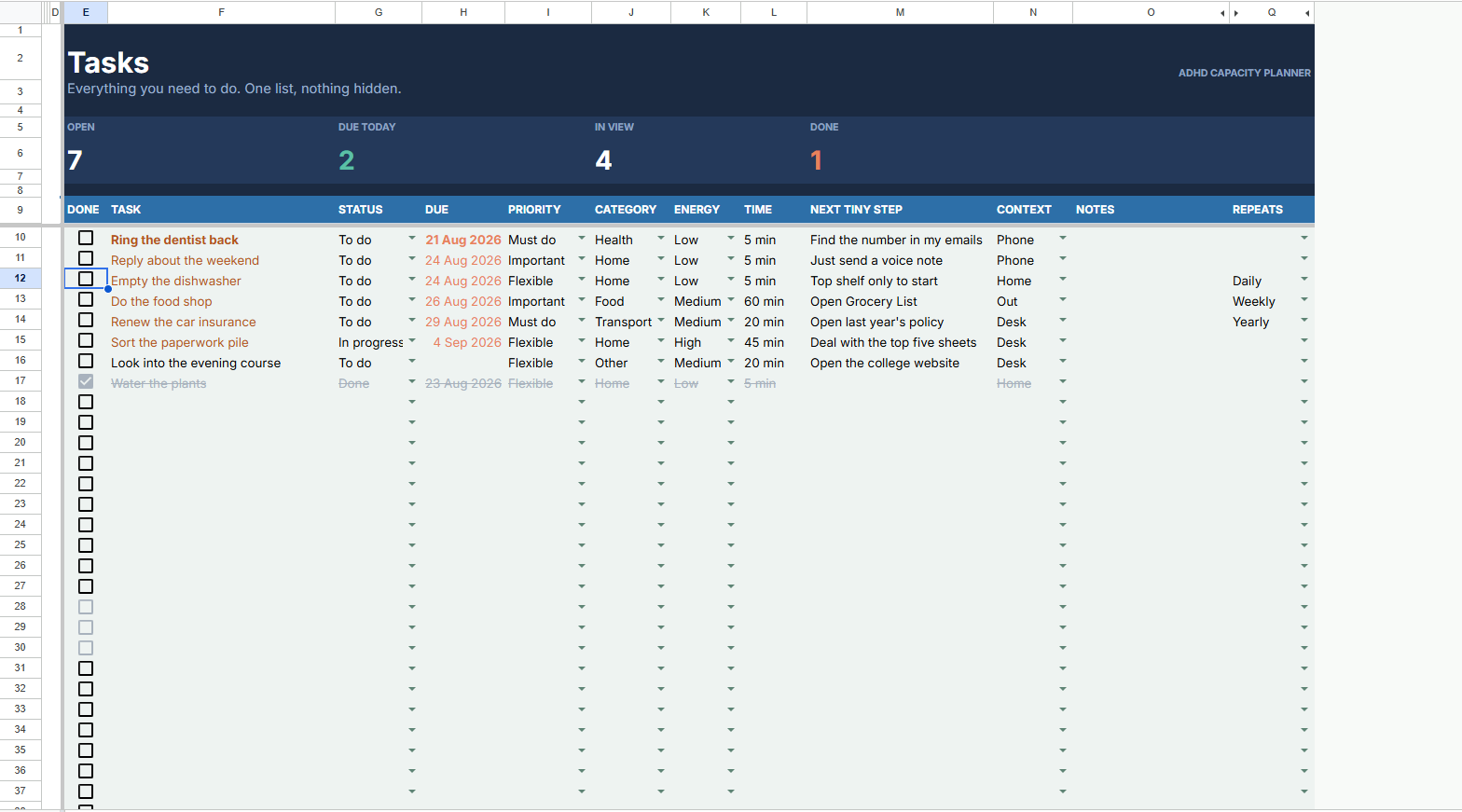
Every Task Has Its First Step
Not "sort the paperwork." Find the folder. The step that gets you moving is already written, so you never have to work out where to start.
One Task At A Time
The top of the list is bolded and everything below it goes quiet. You do that one. Then it picks the next one for you.
Use Two Tabs Or All Twenty
Tasks and Capacity Mode are the whole system. Money, meals, movement and the rest are there if you want them and invisible if you don't.
Nothing To Learn
Every formula is written and locked away. You type in one column and tick boxes. Five minutes to set up, then it just runs.
"OK… How Will This Help Me?"
You open it on bad days, because there's nothing in it to feel bad about.
You always know the one thing to start, and how to start it.
Coming back after a week off takes one click, not an evening of tidying up.
Appointments and bills stop arriving as surprises.
You can see where the money went without going looking for it.
Meals and shopping get decided once, not renegotiated every evening.
You don't have to become more consistent. The planner just stops needing you to be.
20 Tabs. Every Area Covered.
Swipe any card to look inside.
Capacity Mode
The mechanism behind everything. Choose how far ahead you want to look, and it shows you only that, one task at the top, first step already written.
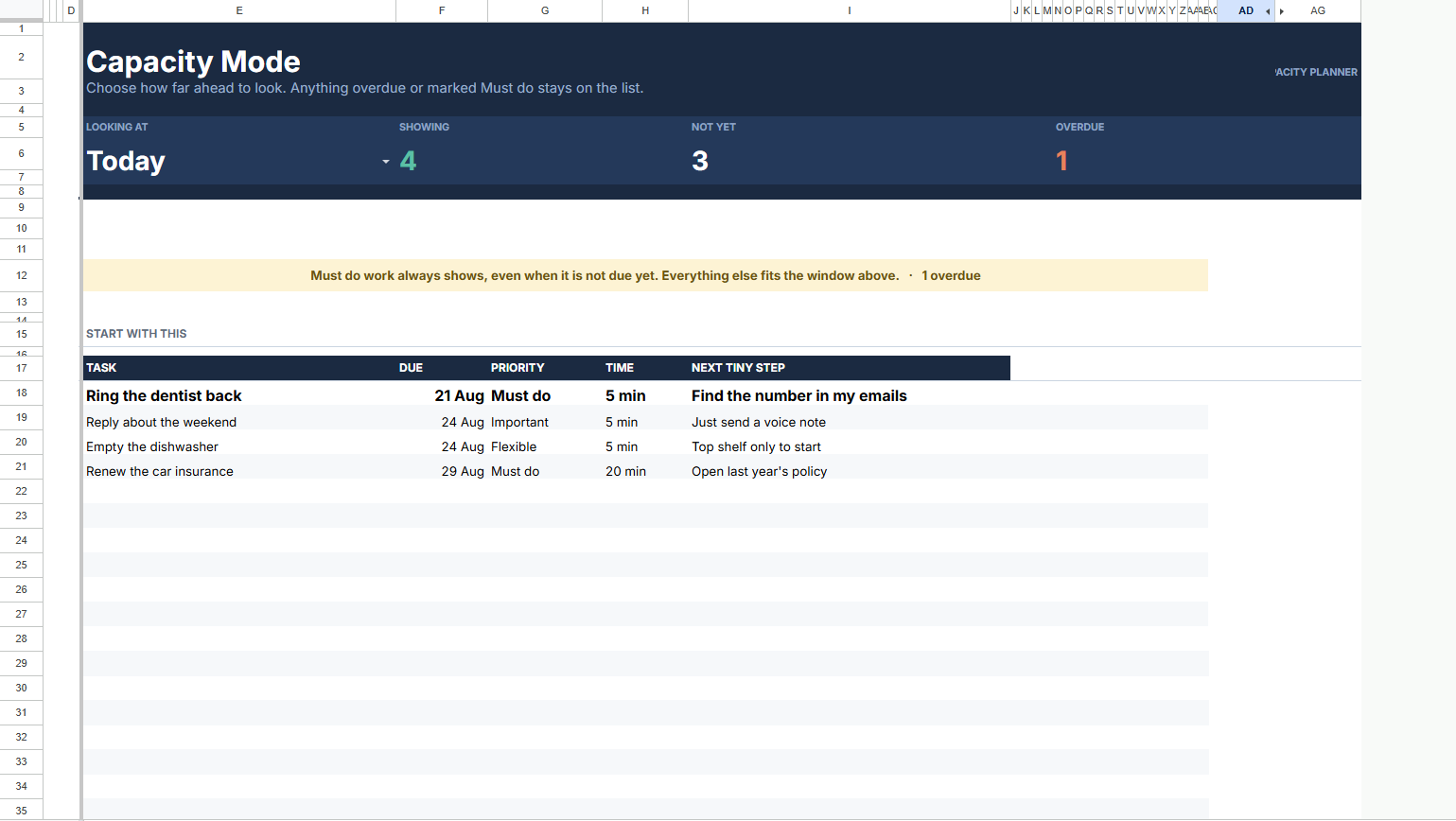
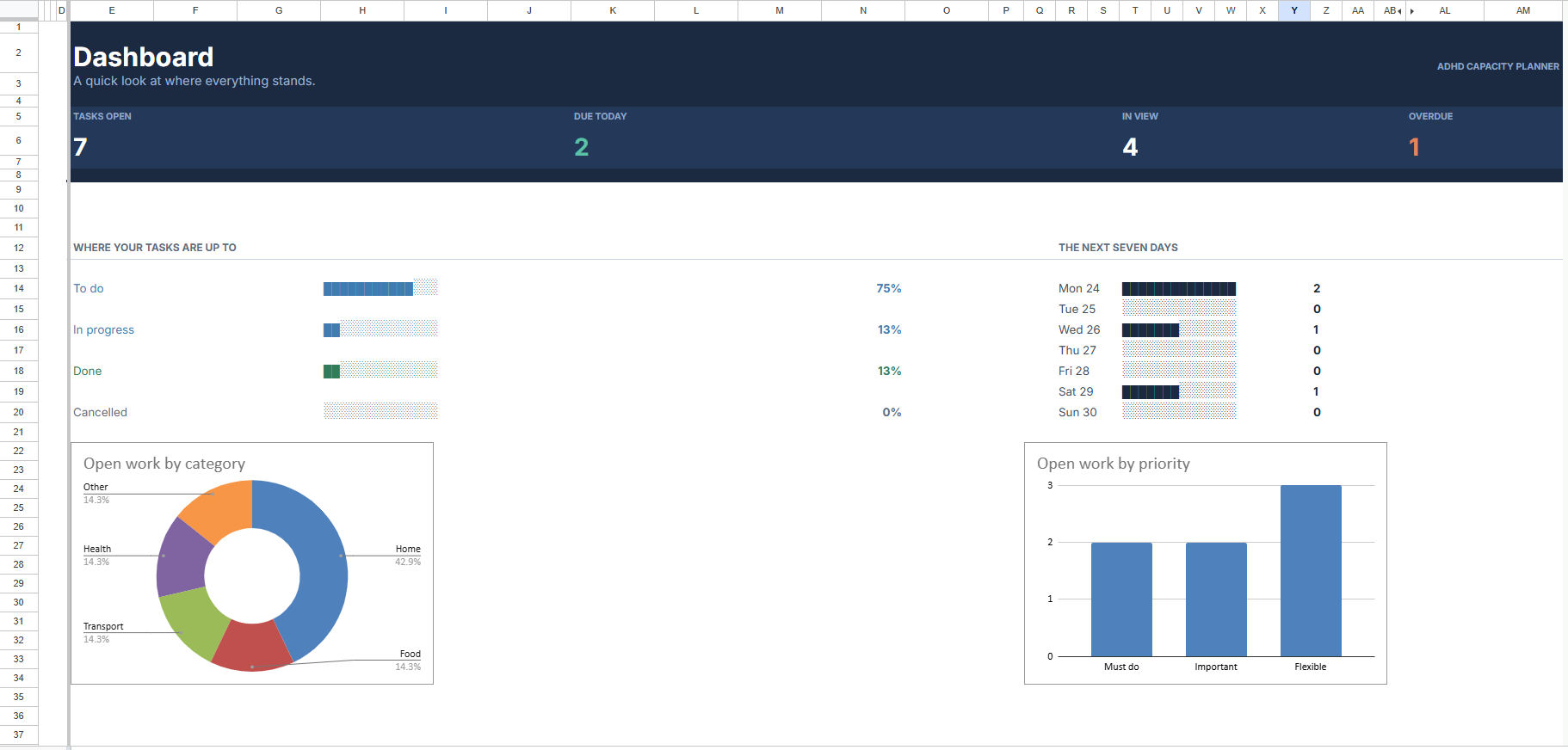
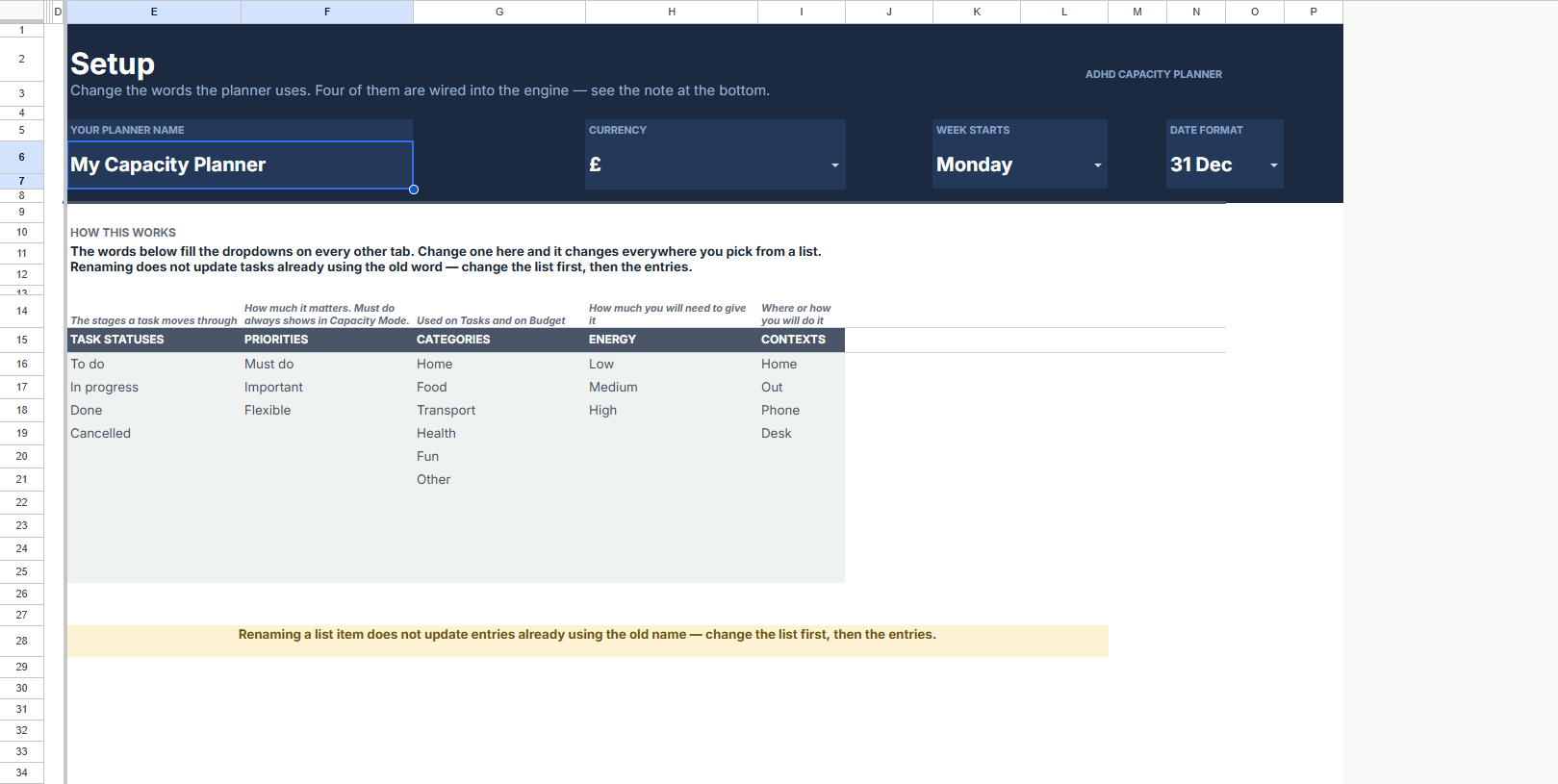
Start & Setup
Five minutes to set up, then it's yours. Walk the guide, then personalise every detail to suit the way you actually work.
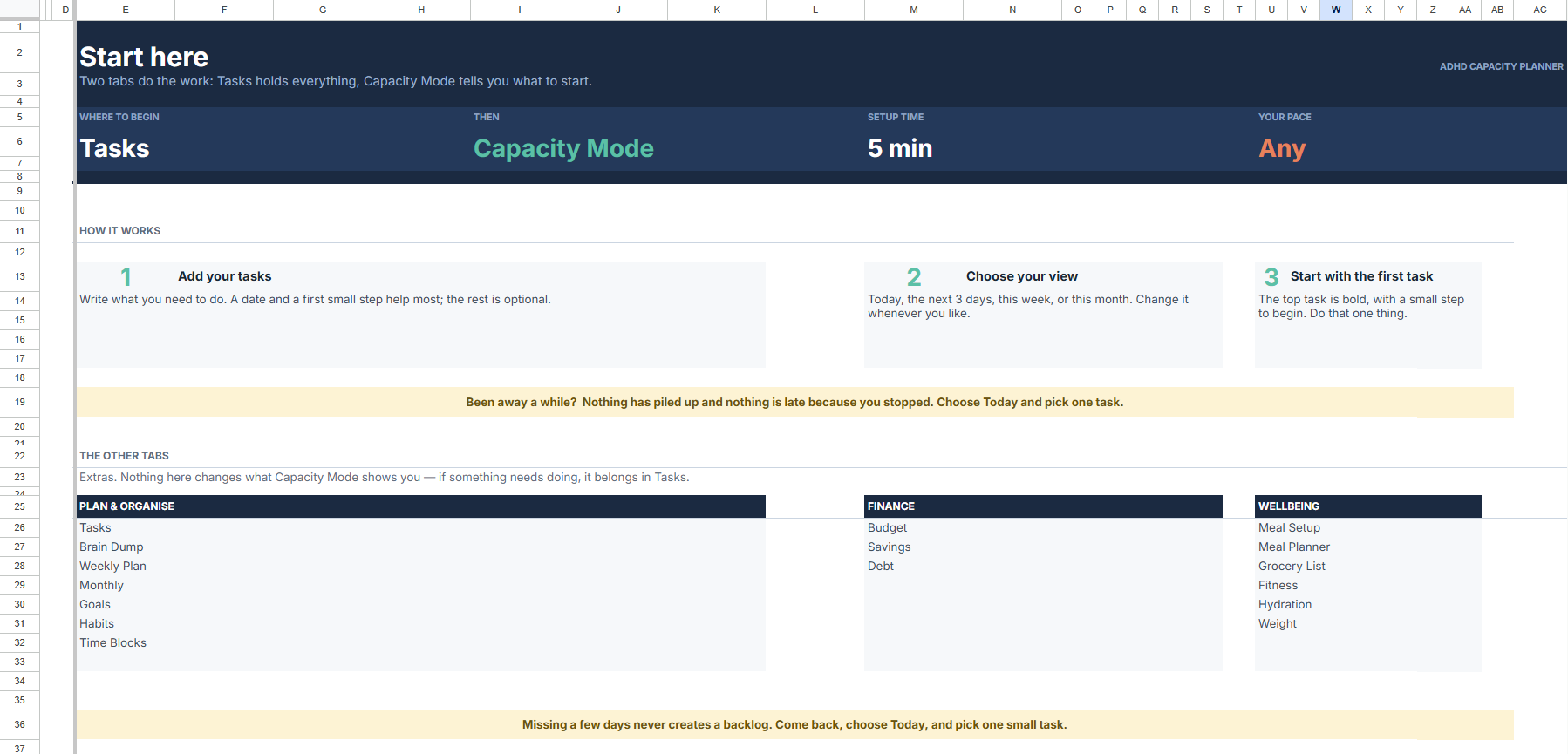
Capture
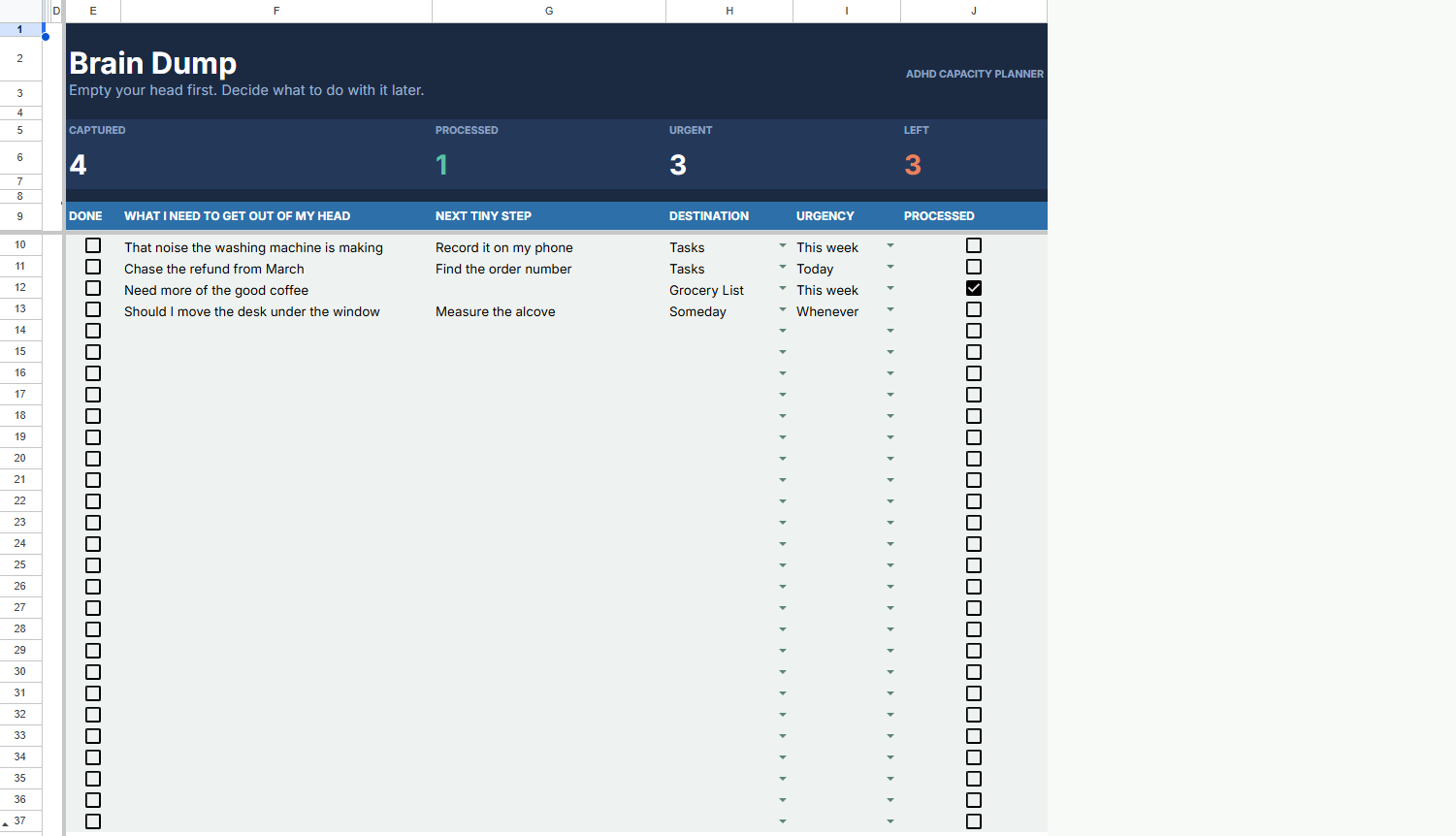
Get it out of your head and into a system that sorts it for you. Tasks that organise themselves, with a pressure-release for the overflow.
Plan & Organise
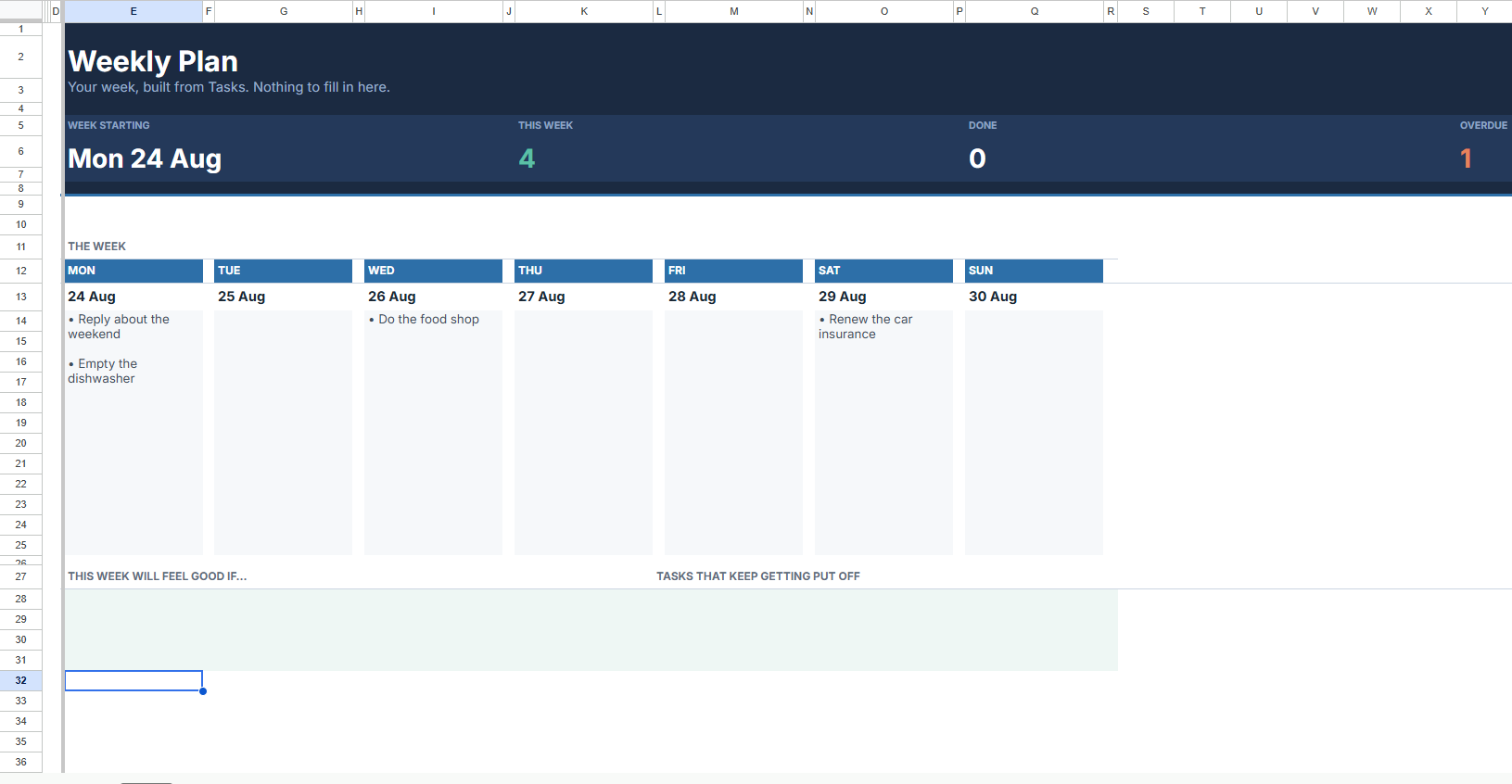
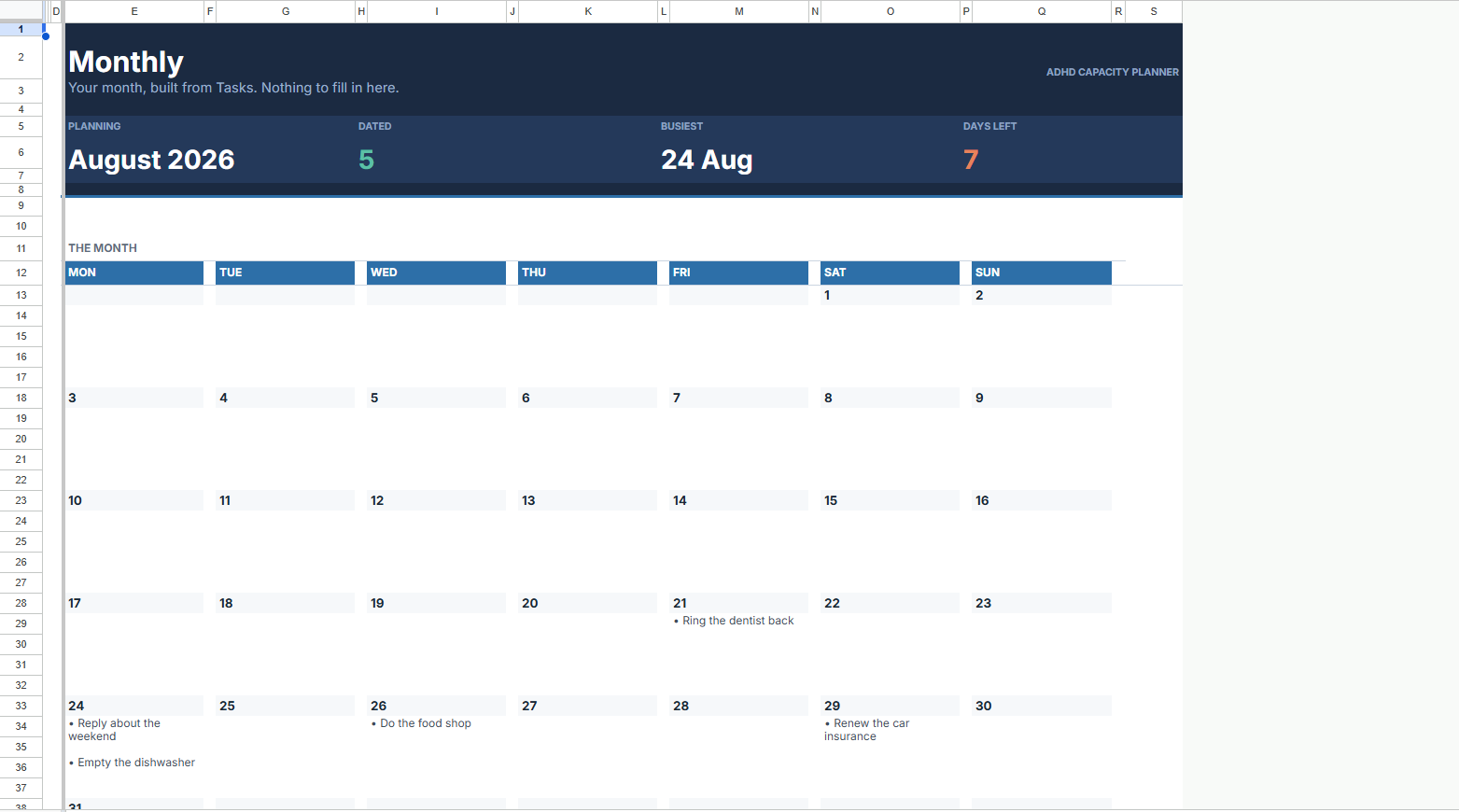
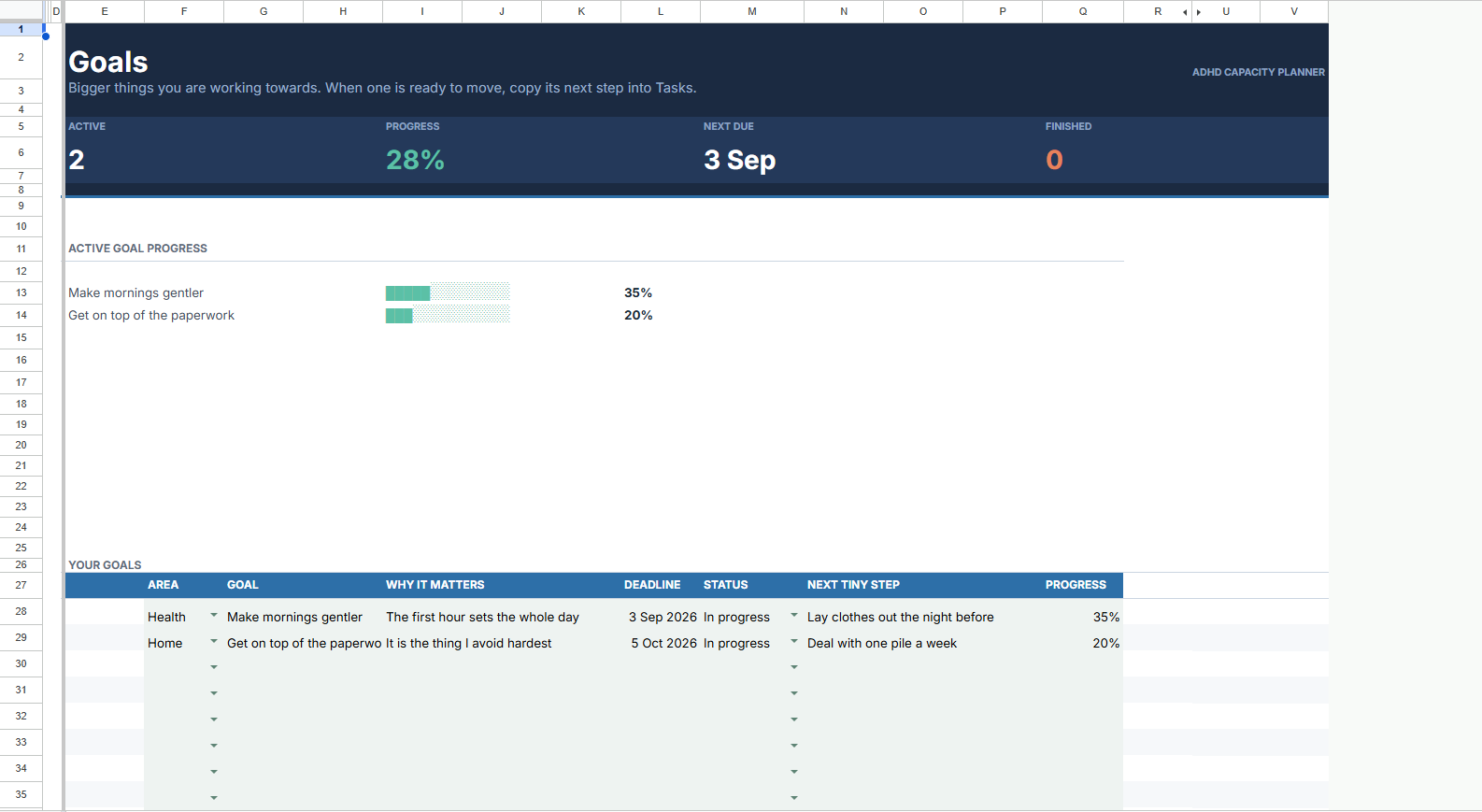
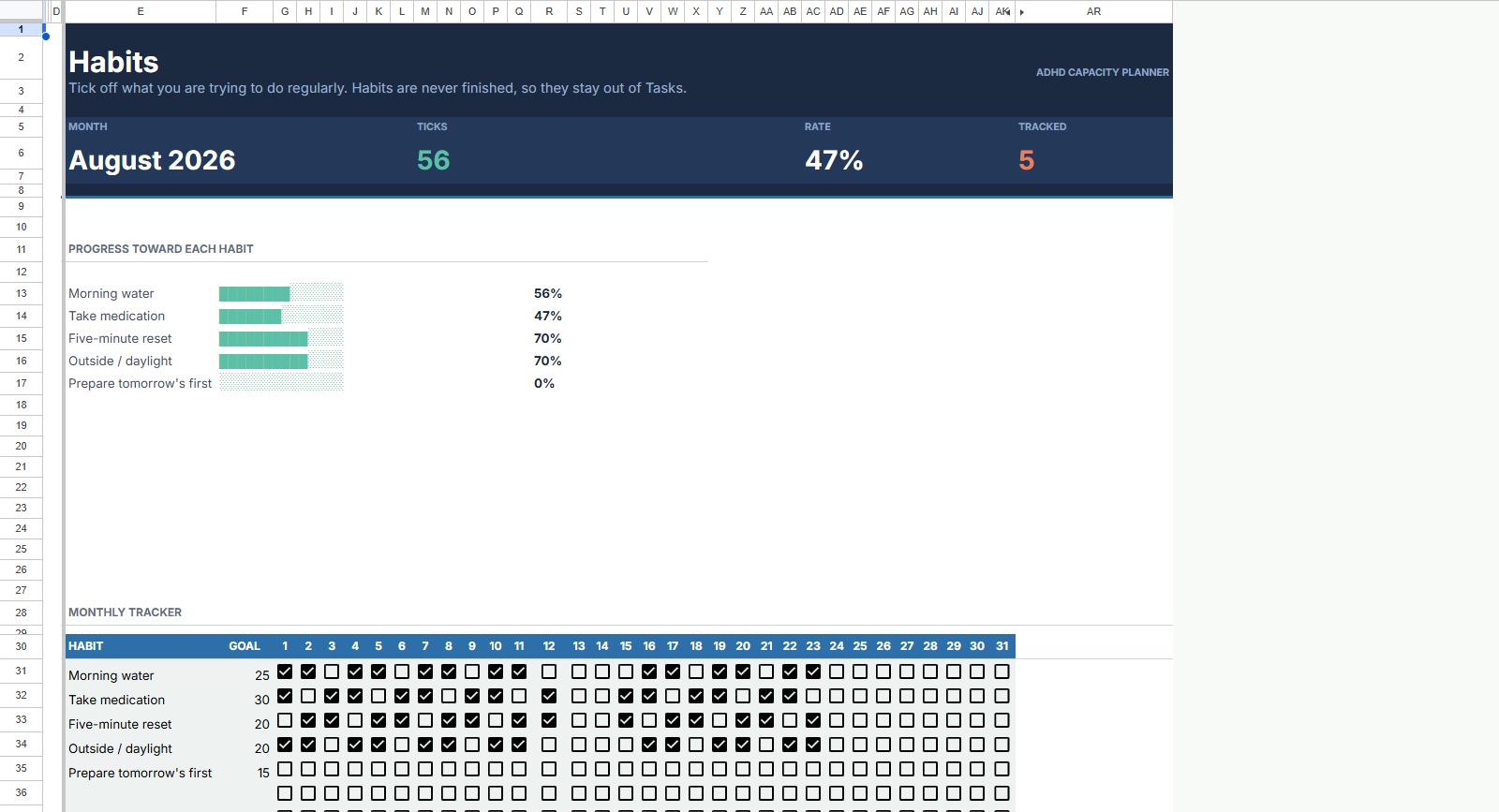
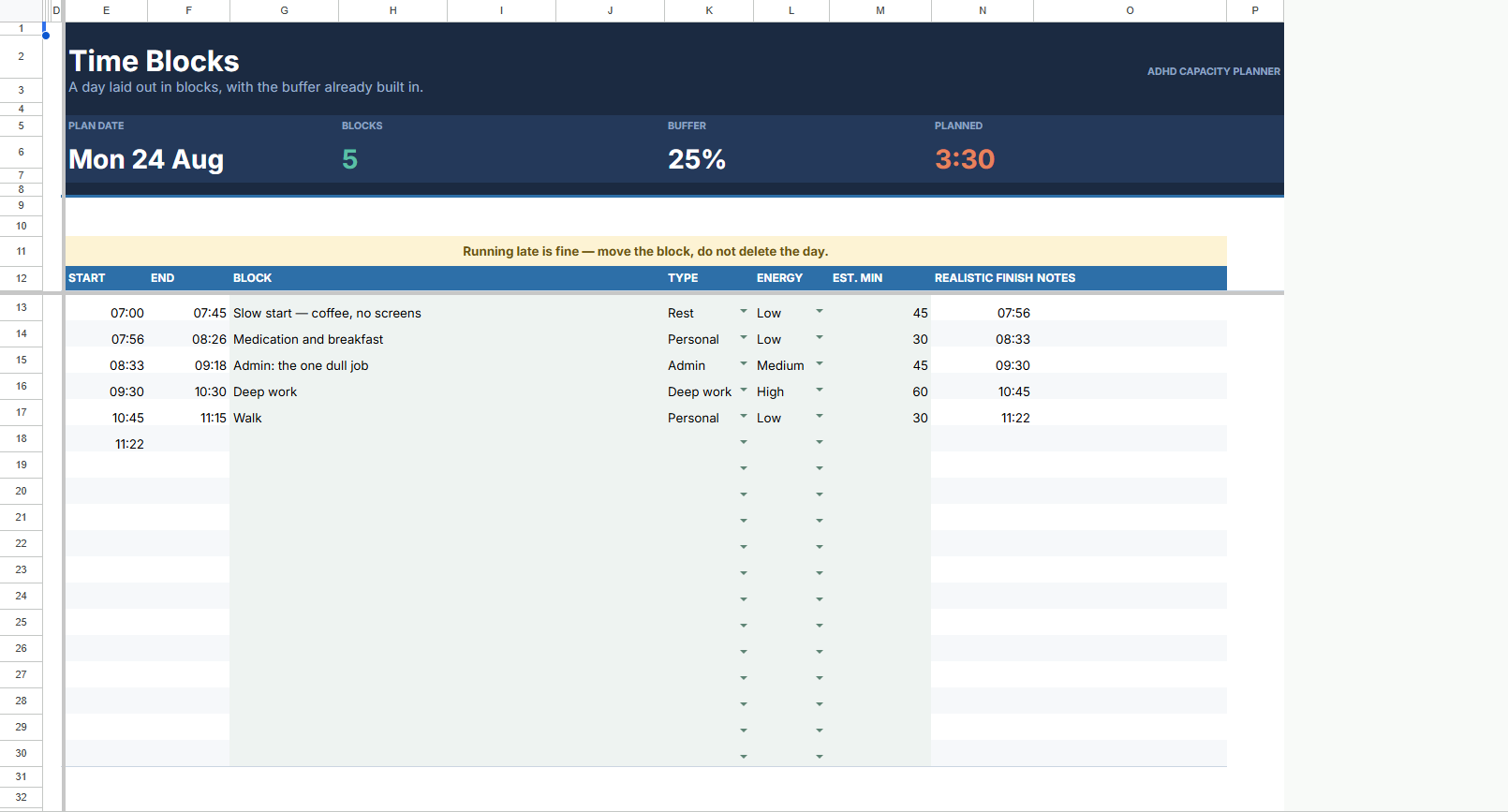
Your week builds itself from your tasks. Monthly view, goals, habits and time blocks, all one connected system.
Money
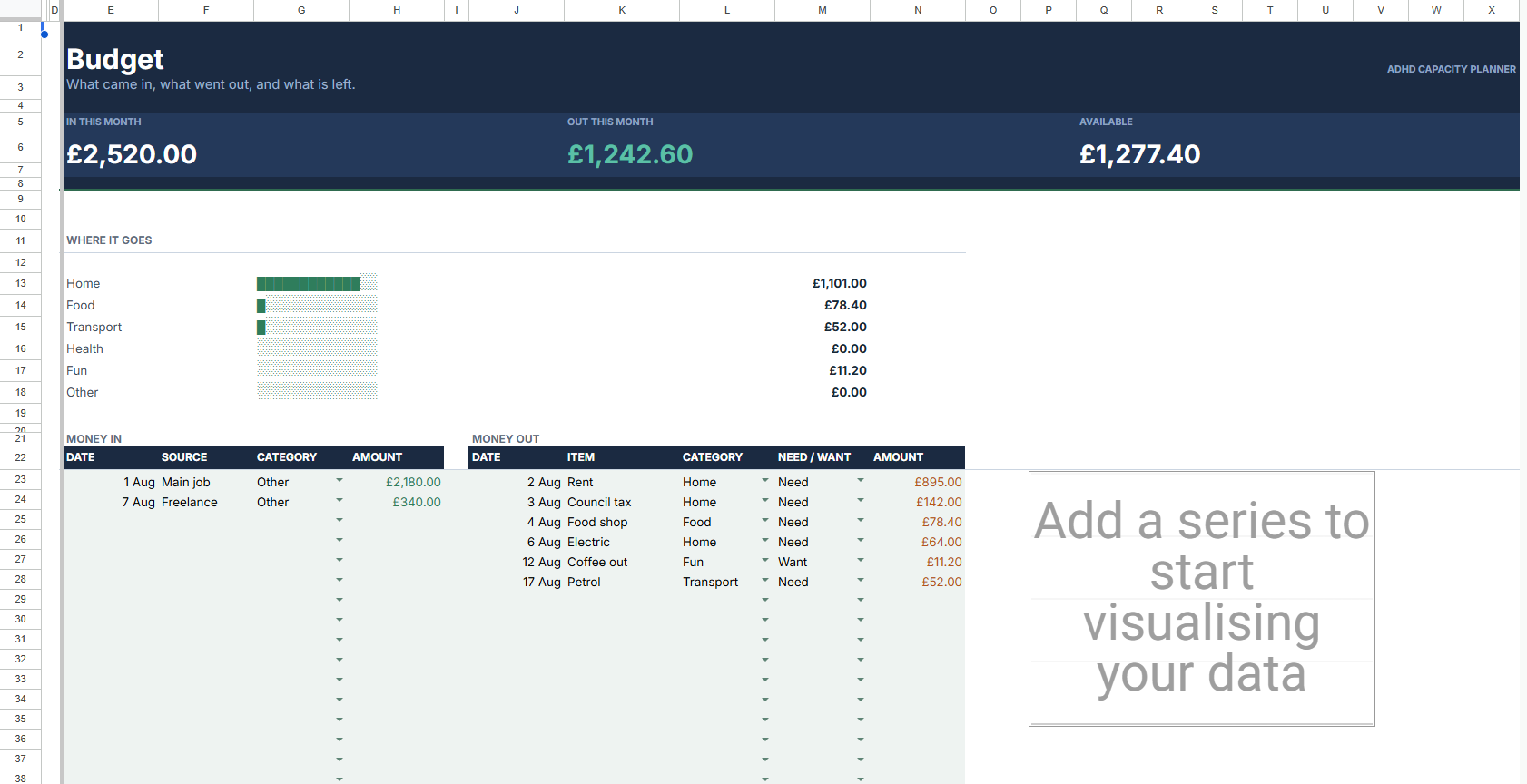
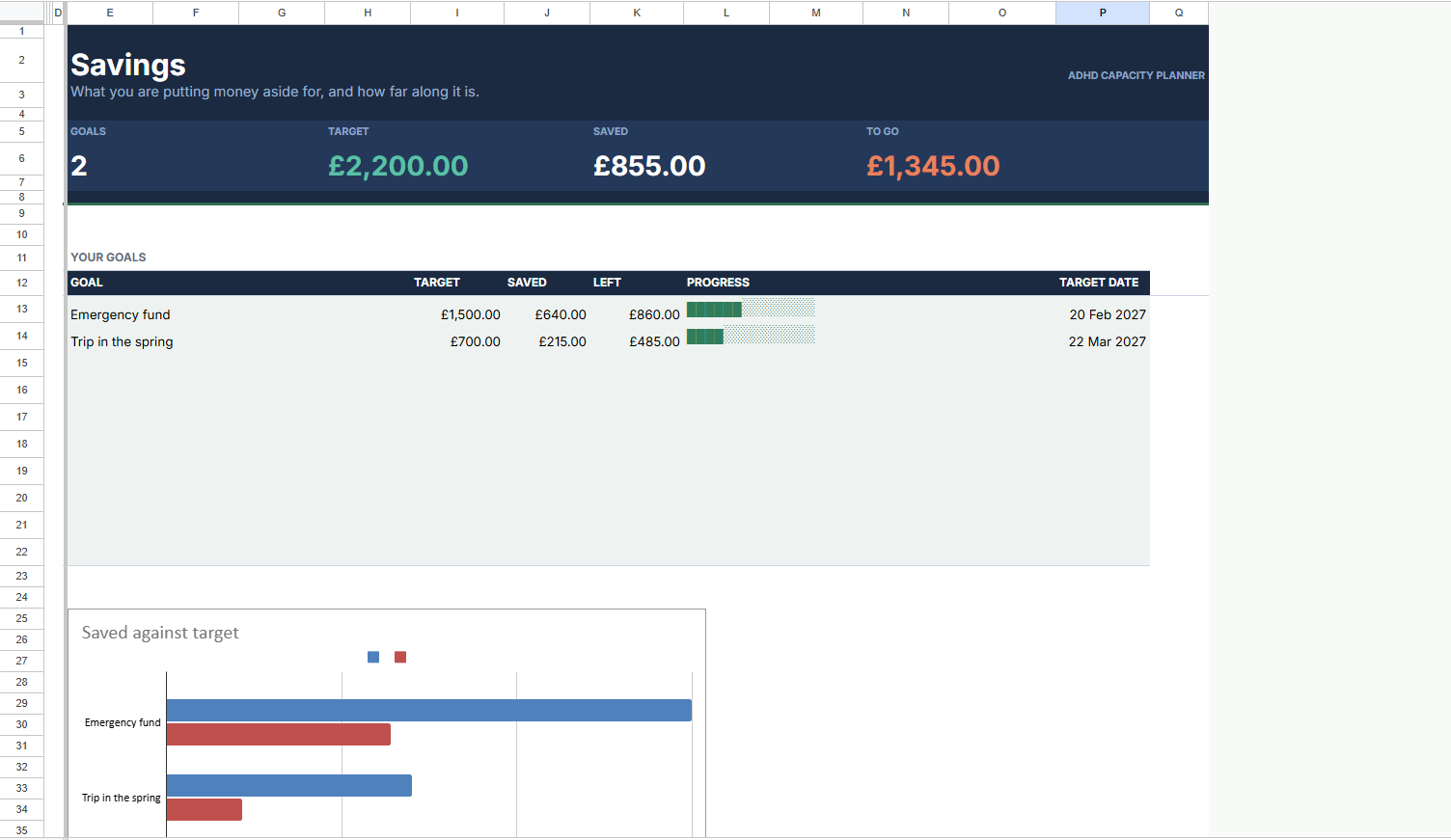
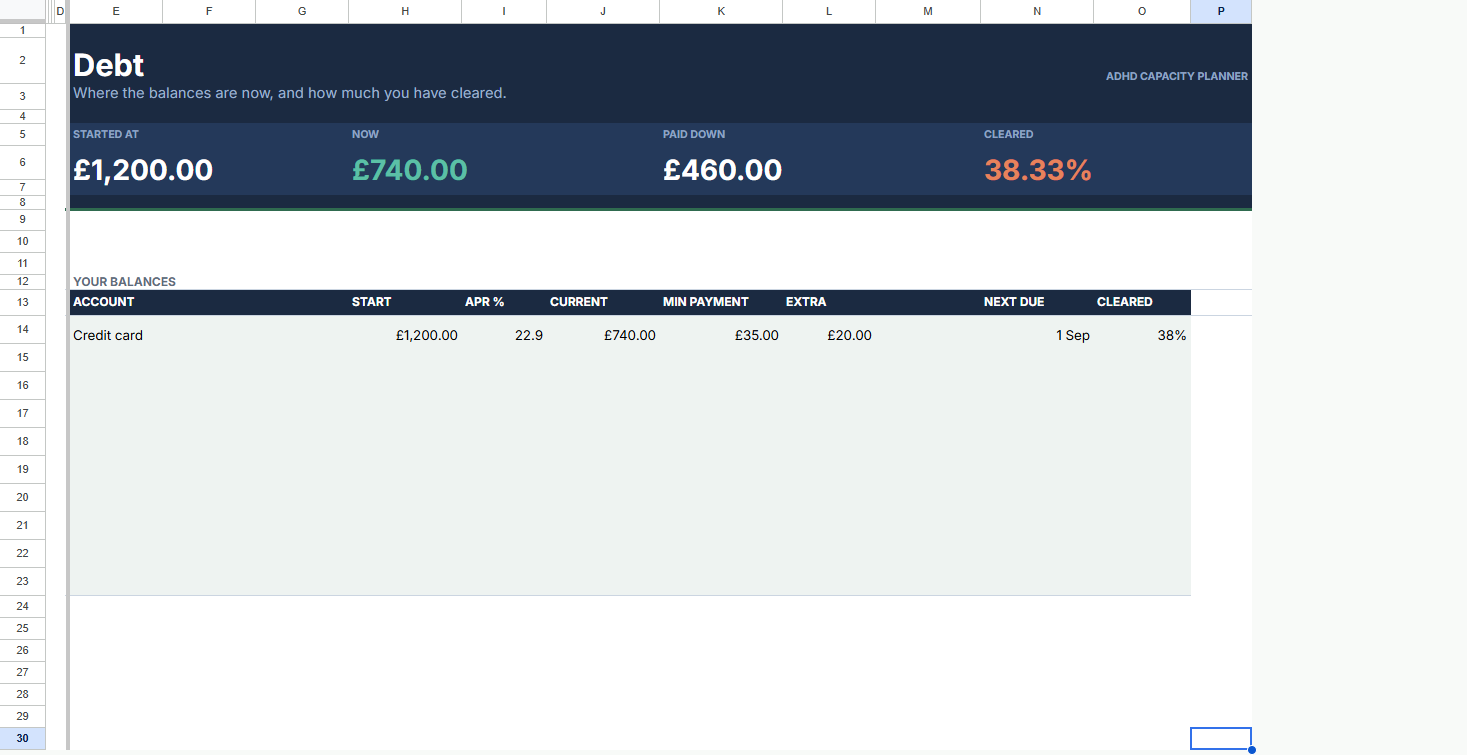
Budgets with charts that make sense at a glance. Track savings and debt without the overwhelm.
Wellbeing
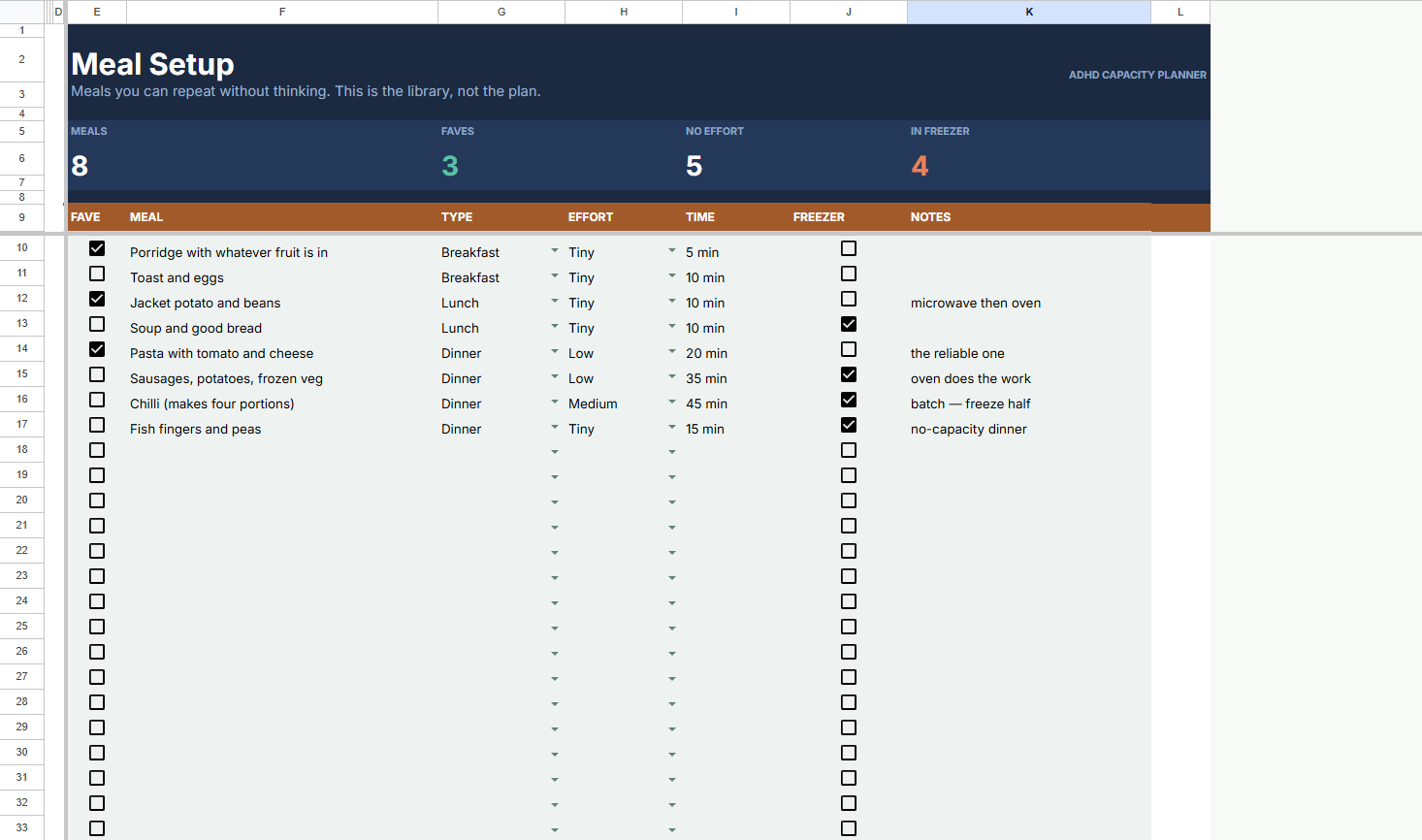
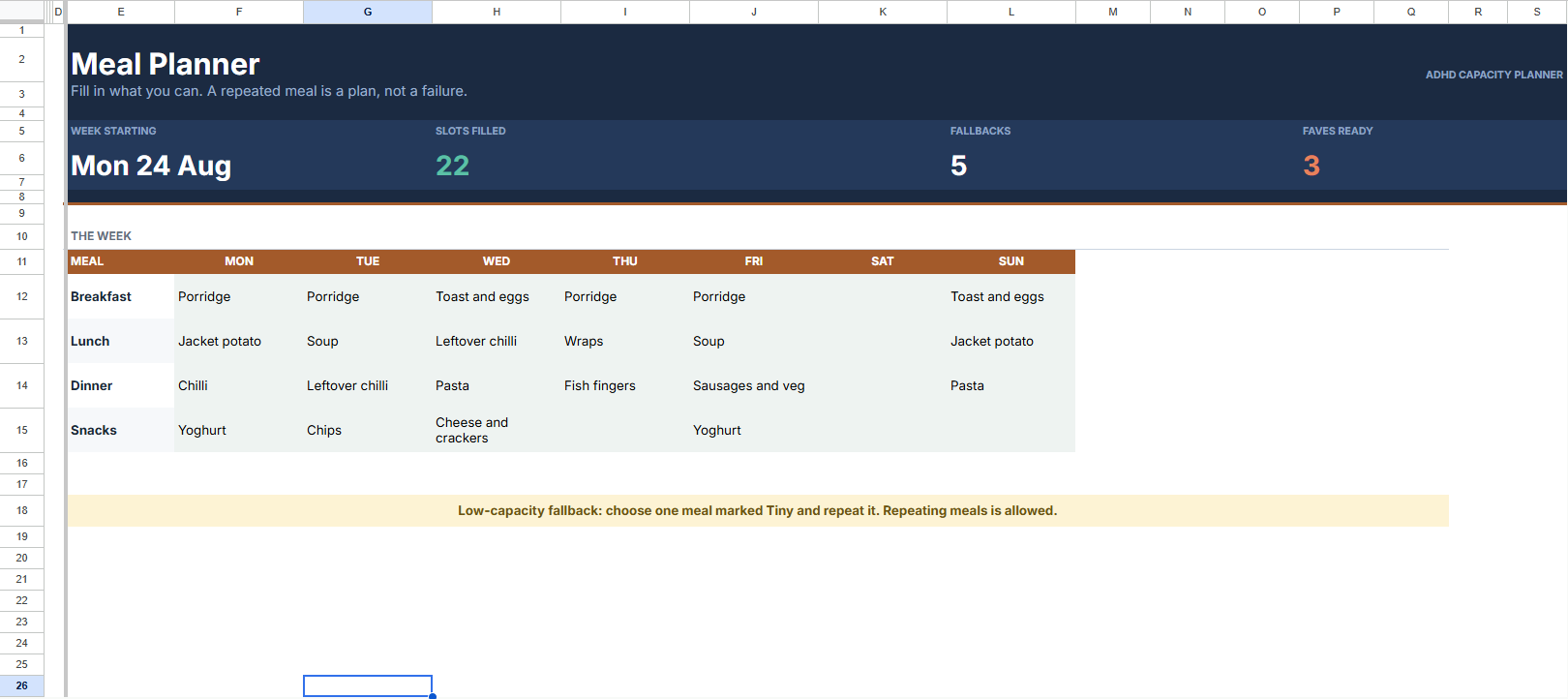
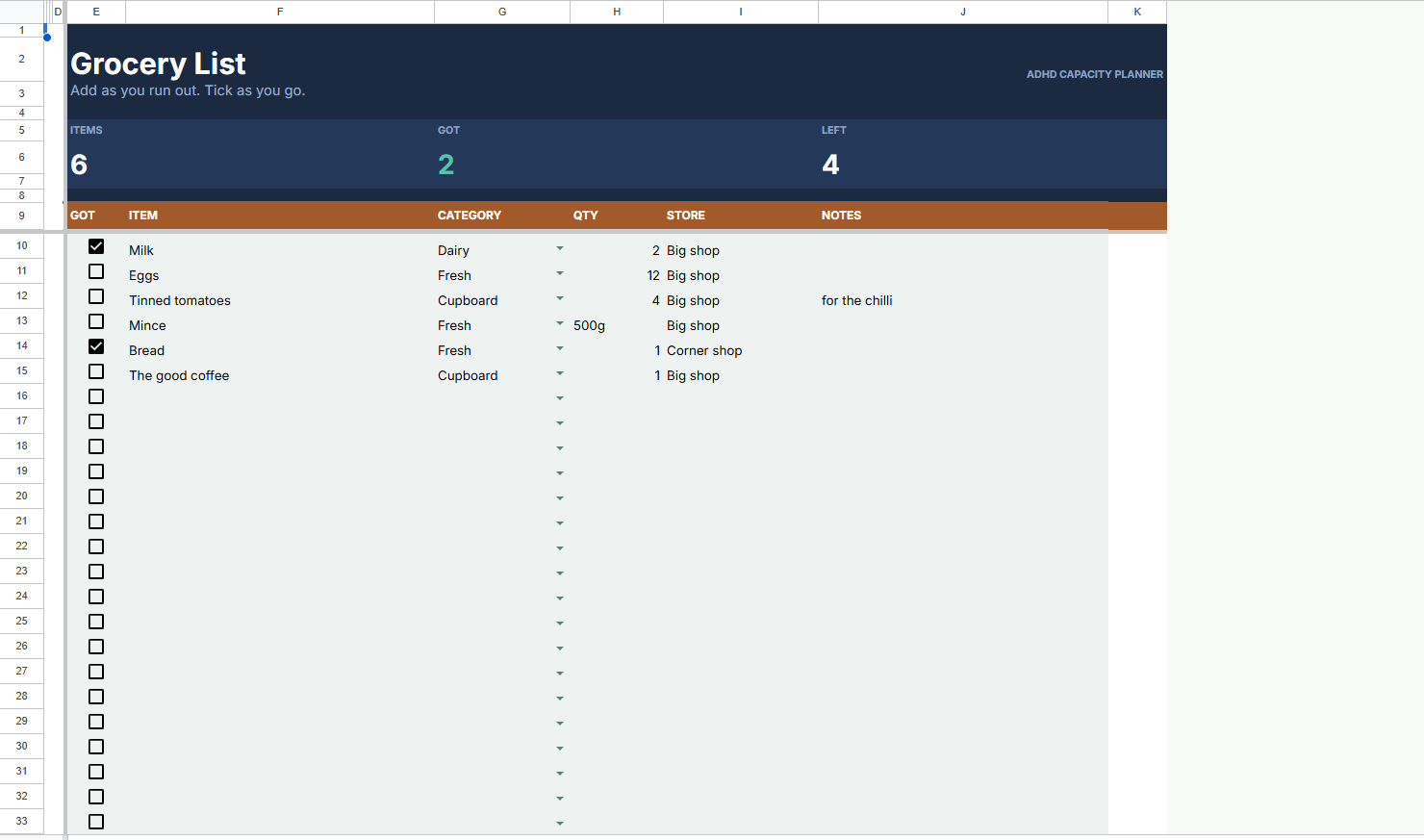
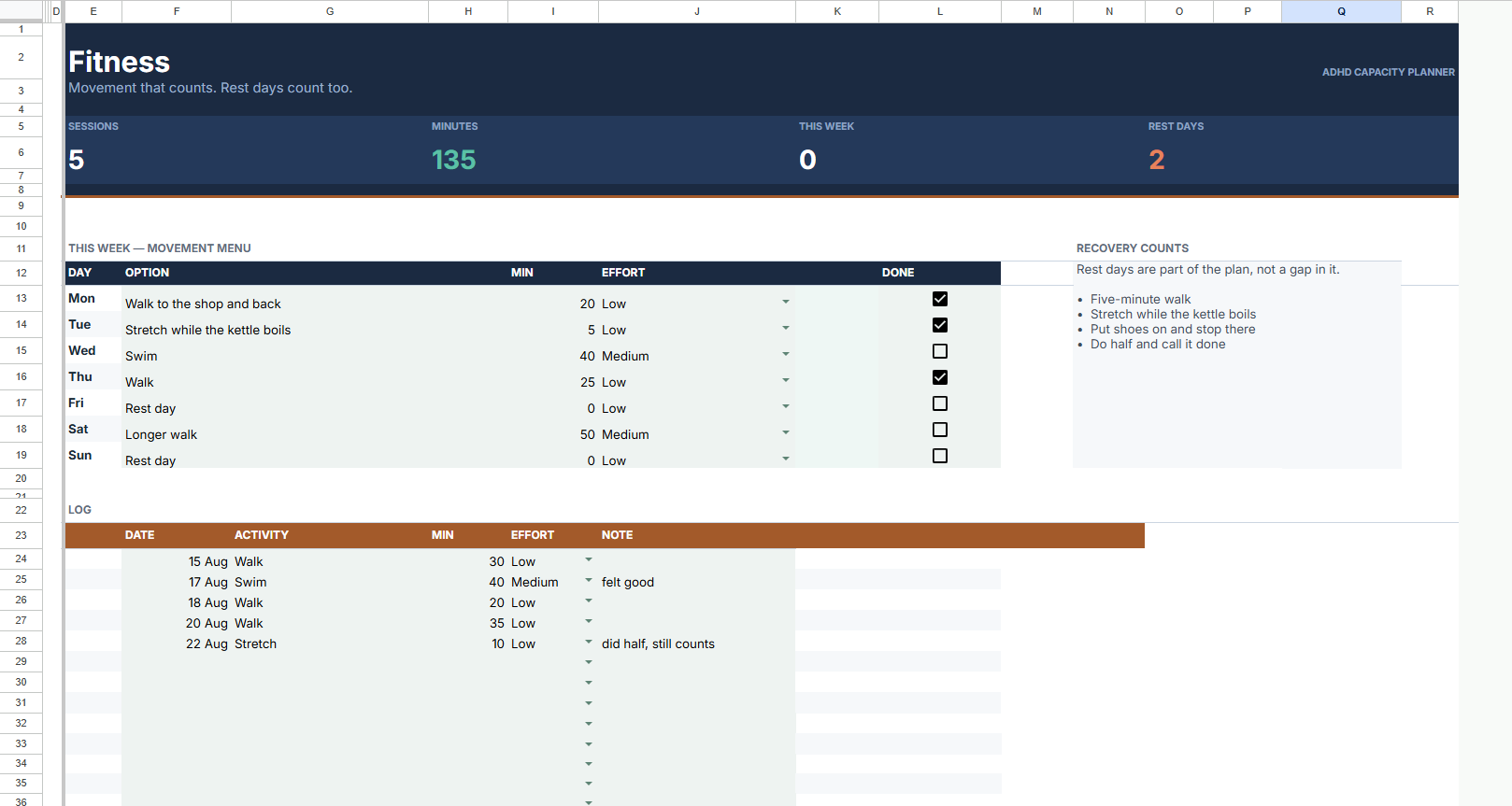
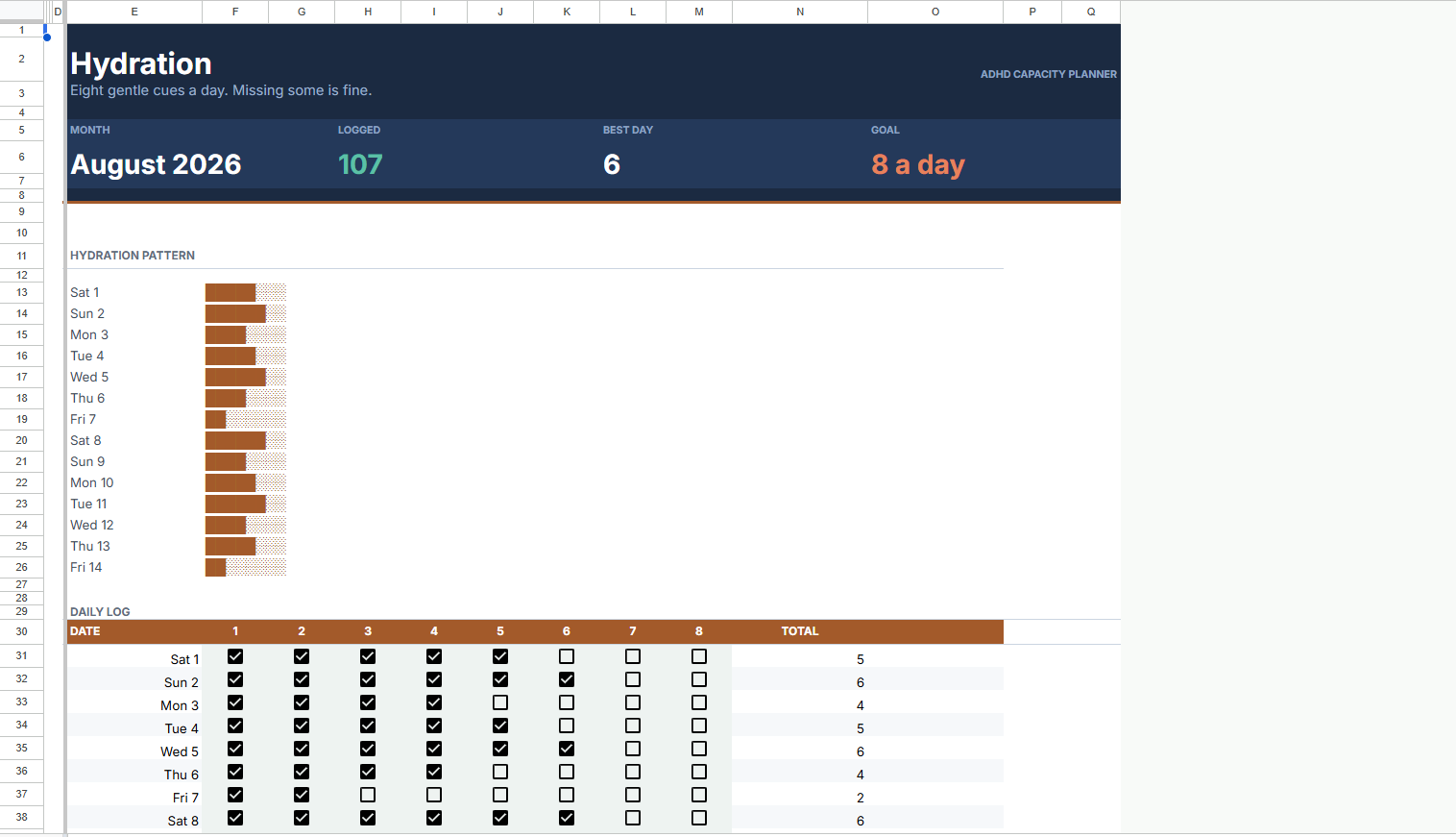
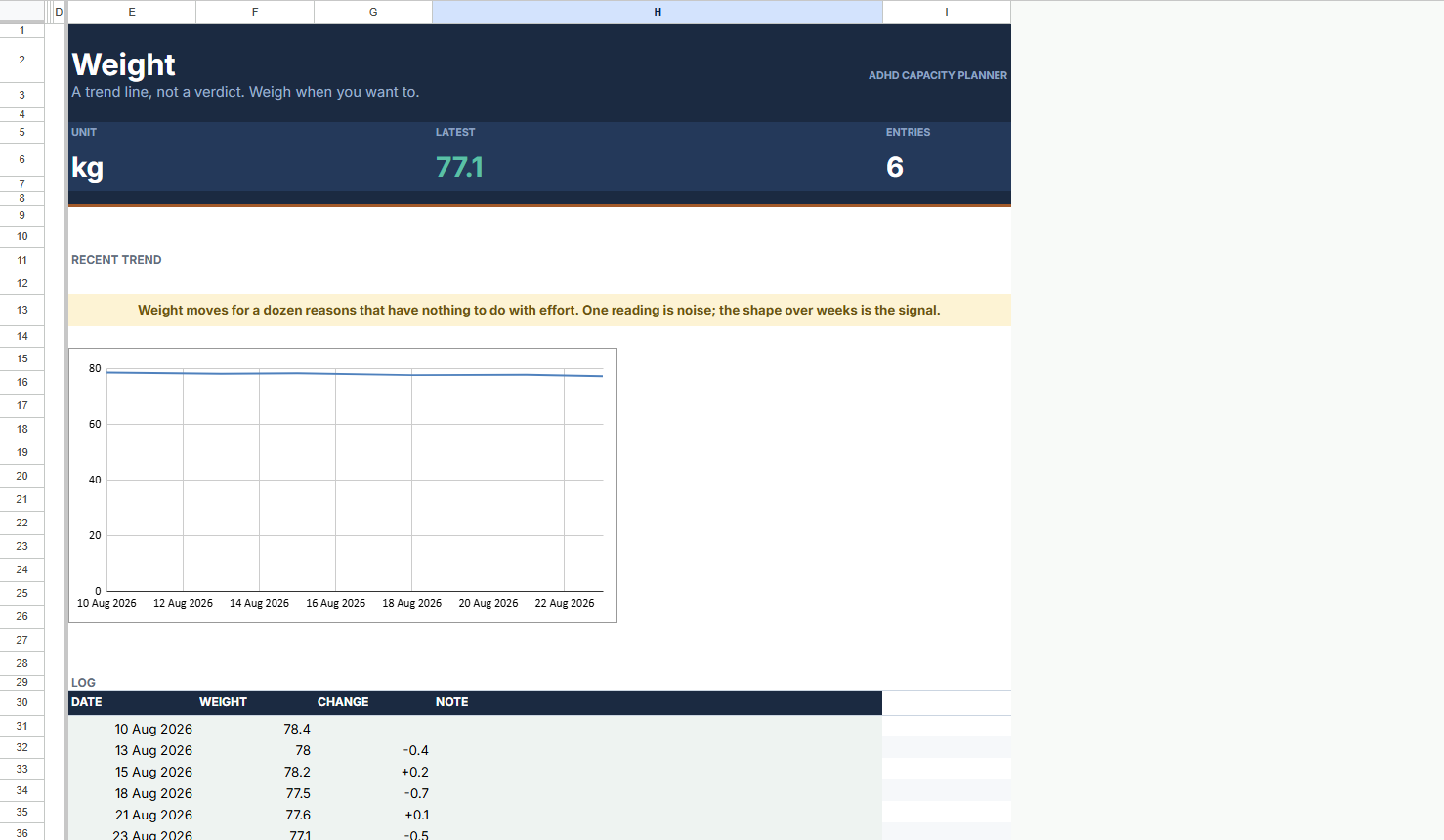
Meal plans, grocery lists, fitness, hydration and weight. The physical side of functioning, all in one place.
This Is For You If…
Your planner graveyard is already full
You do well for a fortnight, then fall off and can't face going back
You've been told you're "lazy" or "scattered" your whole life
You'd rather see one task than seventeen
You want structure that survives a bad month
You want something flexible. No all-or-nothing, no shame
Why I Built This
I built this after abandoning the eighth planner in a row.
They all had the same flaw. Designed for the good weeks, quietly punishing the bad ones. The overdue column grows, the streak breaks, and the thing you bought to reduce the guilt starts producing it.
I didn't need more features. I needed a planner that could get smaller when I did.
So I built one where falling behind isn't something the file can even record.
Your First Week
Five minutes
Open the file, dump in whatever's on your mind, and set your horizon to Today. That's the setup. The other eighteen tabs can stay empty.
One task
The top of your list is already broken into a first step small enough to start. Do that one thing. The planner picks the next.
The bad day
You don't open it. Nothing happens. No streak breaks, nothing turns red, nothing moves to a backlog.
Coming back
Choose Today and pick one task. That's the whole recovery process. This is the part every other planner gets wrong.
One File. One Price. Forever.
Paid once · No subscription · Lifetime access · Free updates
Get instant access ↗Set it up in five minutes, then use it for a fortnight, including the days you don't feel like it. That's when the difference shows. If it isn't working for you, email us and tell us what didn't land. We'll help, or we'll make it right.
Honest Answers To Real Questions
No. You type in one column and tick boxes. Every formula is already written and locked out of your way, so there's nothing to build and nothing you can break.
Straight after checkout you'll get an email with your link. One click makes your own private copy, which nobody else can see. You'll need a free Google account, which you already have if you use Gmail. Check your spam folder if the email hasn't arrived in a few minutes.
About five minutes. Add a few tasks and it's running. The other tabs can sit empty for as long as you like, nothing waits on them.
Anything urgent stays on the screen no matter which setting you pick. Shrinking only moves things that can wait, and one click brings the full list back. Nothing is ever deleted.
Nothing. There's no streak to break and no backlog to clear. Open it, choose Today, and pick one task. That's the entire recovery process, and it's the part every other planner gets wrong.
Two tabs are the whole system: Tasks and Capacity Mode. Money, meals and movement are there if you want them and completely ignorable if you don't. Nothing breaks when a tab stays empty.
Yes, through the free Google Sheets app, though it's built for a bigger screen. Most people add tasks on their phone and do their planning on a laptop or tablet.
No. One payment, one file, yours permanently, updates included. No renewals, nothing to cancel.
There's nothing in it that can. No streaks, no completion percentages, no red overdue column. Falling behind isn't a state the file records.